
YANLING Industrial Computer Technology (Shenzhen) Co., Ltd
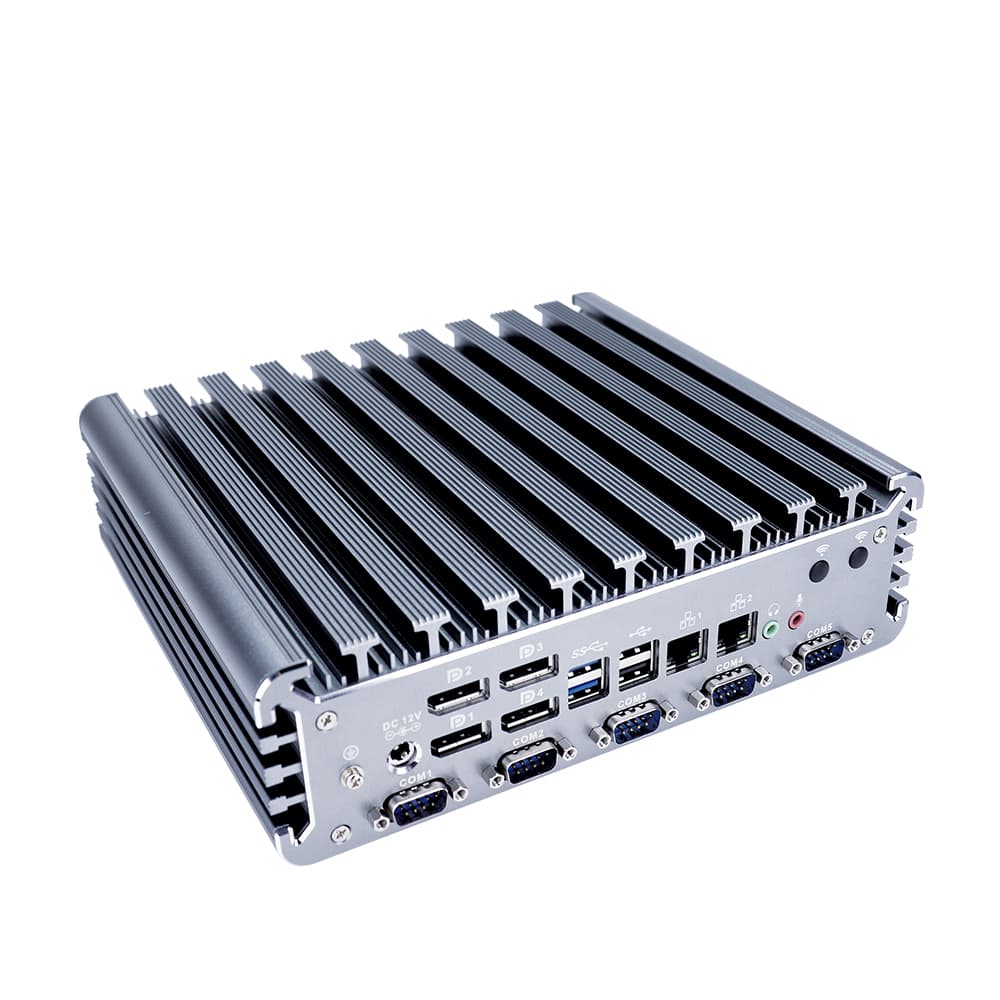
As a top-tier industrial computer manufacturer with over two decades of industry leadership, YANLING delivers state-of-the-art Industrial Desktop Computer solutions that define durability and versatility. Operating our own ISO-certified factory, we leverage advanced CNC aluminum extrusion technology to create fanless systems that act as massive heat sinks, ensuring stable performance without the noise or failure risks of mechanical fans.
Our industrial desktop computer solutions are at the forefront of technology, featuring the latest Intel 12th, 13th, and 14th Gen Core (i3/i5/i7) and Alder Lake-N (N100/N97) architectures. We offer an unmatched product variety, from Book-type DIN-rail PCs for electrical cabinets to Wall-mount Mini Box PCs for machine vision. Our flagship models integrate DDR5 4800MHz RAM, Intel 2.5G LAN, and 4K Triple Display outputs.
YANLING excels in OEM/ODM flexibility. We provide tailored solutions including wide-voltage power modules (DC 12V-24V/9-36V), specialized I/O like CAN Bus, GPIO, and 6+ RS232/485 COM ports, and custom BIOS configurations (Auto-power-on, Watchdog, PXE). Whether you are a wholesale distributor or a system integrator, YANLING’s factory-direct model ensures elite quality at a competitive price point.
A complete Industrial Desktop Computer from YANLING typically includes:
Processor: Intel 12th Gen i5-1235U (10 Cores), i7-1255U, or N100 (Efficient Quad Core).
Memory: Up to 64GB DDR5 4800MHz or DDR4 SO-DIMM.
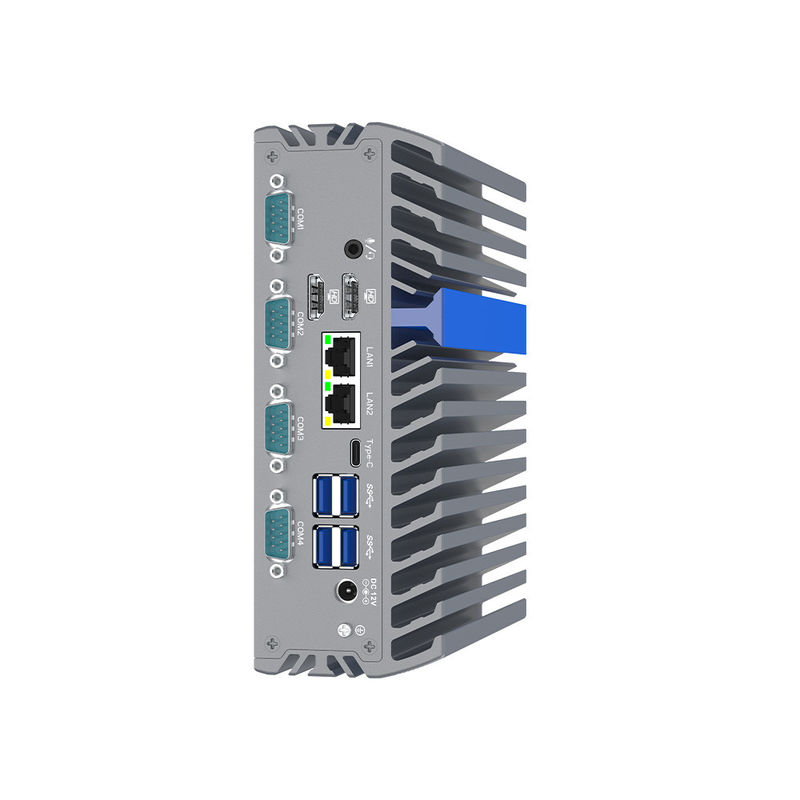
Networking: 2 to 4x Intel i225-V/i226-V 2.5GbE LAN ports for high-speed connectivity.
Storage: M.2 2280 NVMe (PCIe Gen 4) + optional SATA 3.0 for 2.5" SSD/HDD.
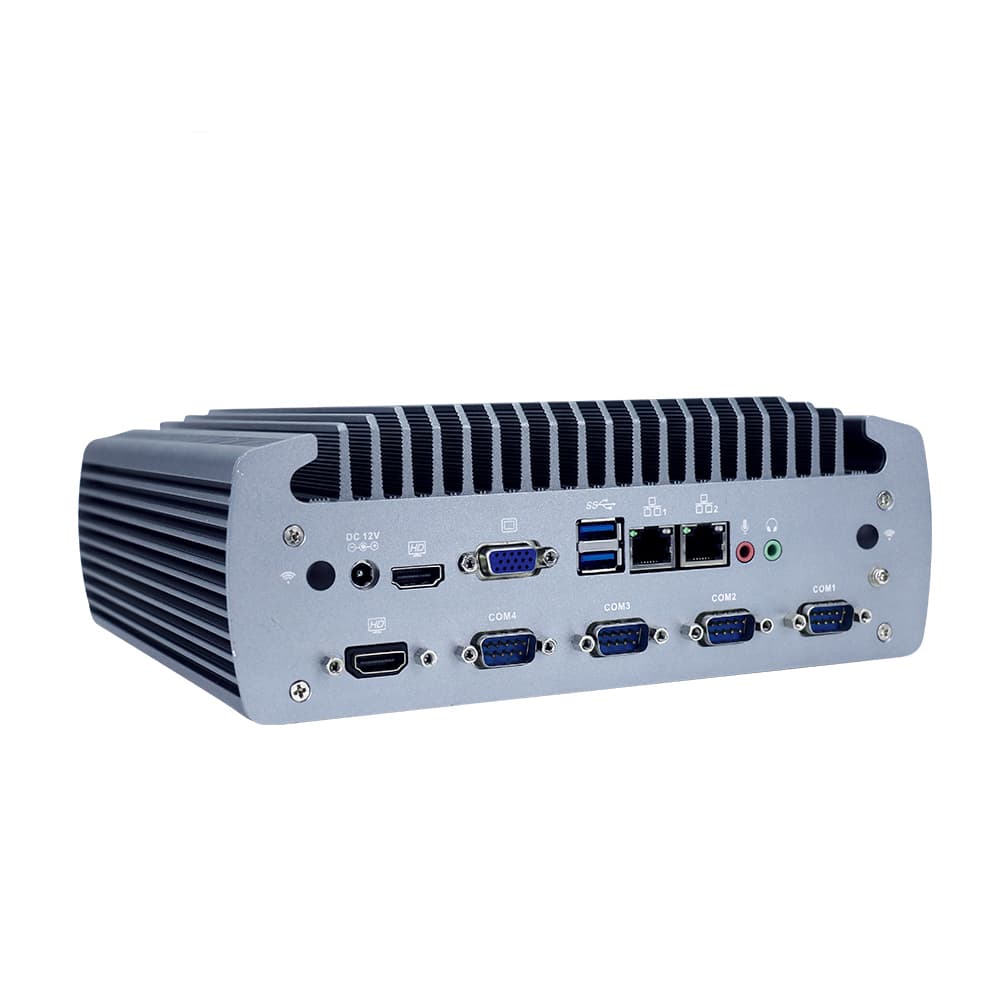
I/O Support: 6x USB 3.0, up to 6x COM (RS232/485), GPIO, CAN Bus, and SIM slot for 4G/5G.
Power: DC 12V–24V wide voltage input with lockable aviation connectors.
Expansion: Mini-PCIe and M.2 slots for WiFi 6 and cellular modules.
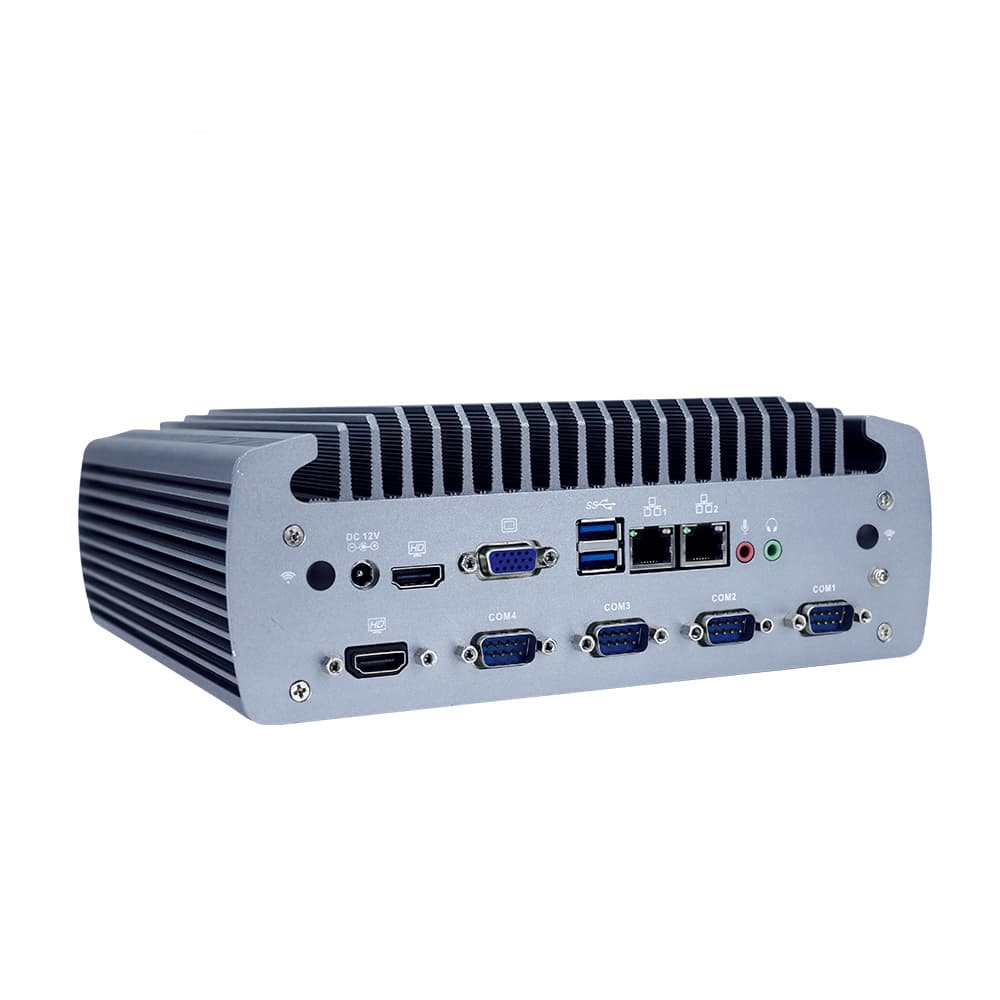
CNC & Laser Control: Replaces fragile office PCs in dust-heavy workshops, preventing system crashes caused by fan failure.
Machine Vision Systems: Uses high-bandwidth Intel 2.5G LAN and i7-12700T power to process high-resolution inspection images in real-time.
Edge Network Security: Acts as a rugged Firewall/Router (pfSense/OPNsense) in remote locations with dual/quad NICs.
Intelligent Factory IoT: Collects sensor data via GPIO/CAN Bus and uploads to the cloud via 5G, operating 24/7 in high-vibration areas.
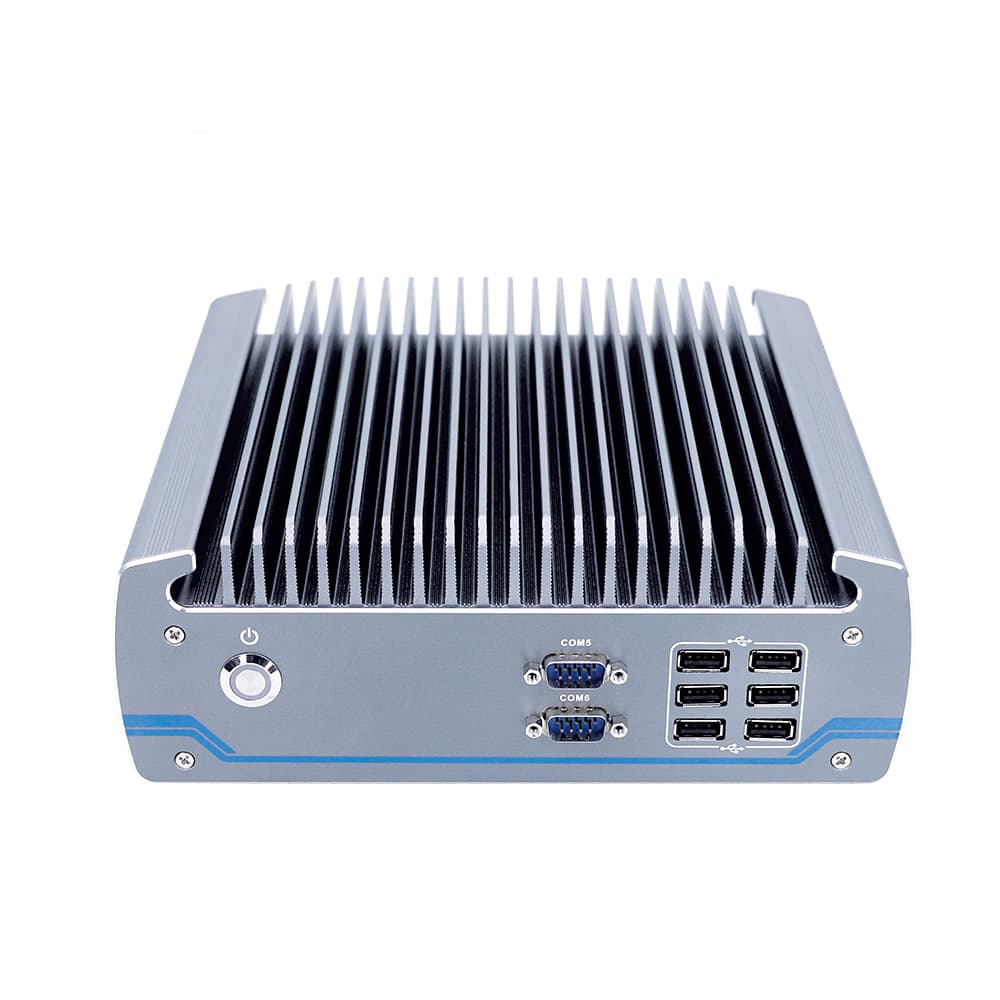
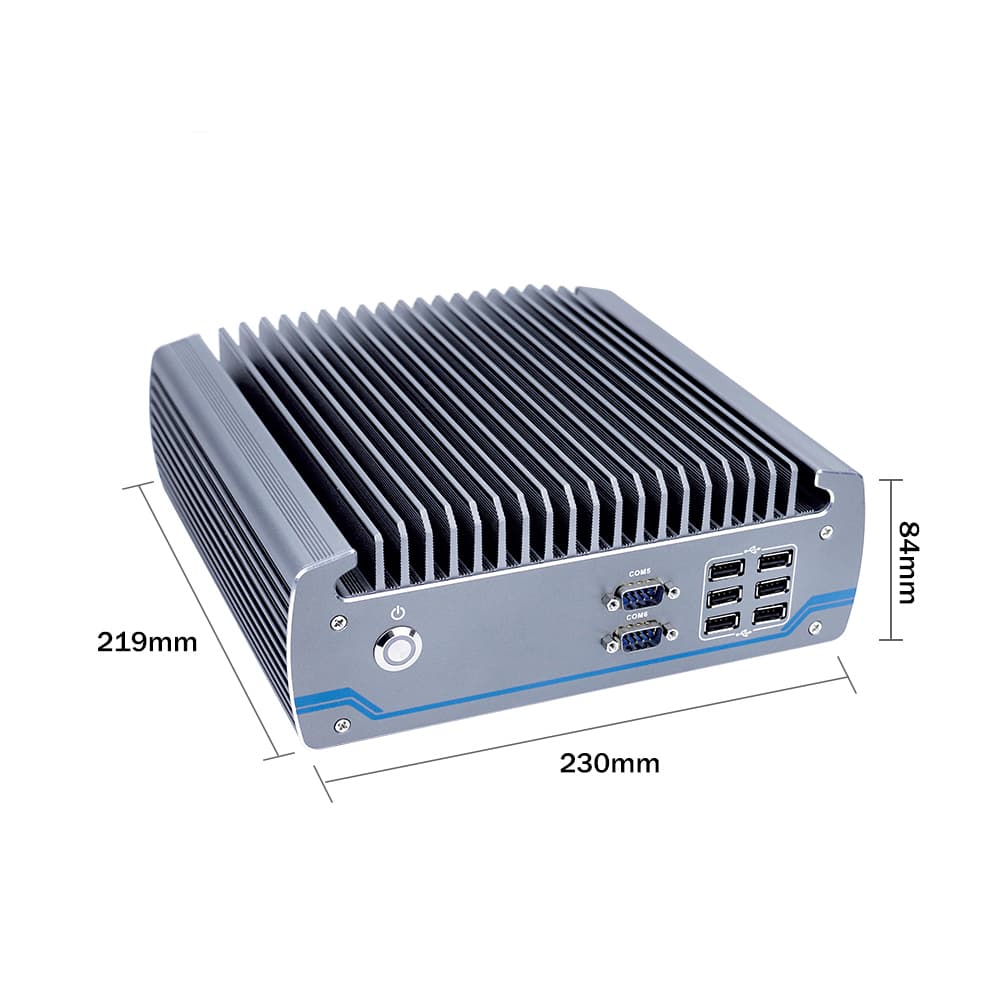
Ensure the cooling fins have at least 5cm of clearance for natural air convection.
Always use the provided grounding screw on the chassis to prevent EMI interference and static damage.
Use the "Restore on AC Power Loss" feature for automatic restarts after power outages.
If the unit overheats due to extreme ambient temps, the CPU will throttle. Immediately check if the external heat sink is covered.
Preparation
| Manufacturer Vetting
|
Quality Verification
| Longevity
|
What did our happy clients say?
Recently upgraded our CNC lab with the YANLING Industrial Desktop Computer (i5-1235U). The fanless cooling is silent and incredibly effective against workshop dust. The DDR5 performance significantly improved our laser-cutting software's response time.
The YANLING Industrial Desktop Computer with 4 Intel 2.5G LAN ports is a powerhouse for our network security project. Its rugged build and wide voltage support make it the best pfSense hardware we have ever deployed. Truly a top manufacturer.
Excellent wholesale experience! We ordered YANLING Industrial Desktop Computers with custom CAN Bus and GPIO for our smart factory. The factory-direct quality and the ability to customize BIOS for auto-power-on are exactly what we needed.
This YANLING Industrial Desktop Computer is a beast. We use the i7-12700T model for machine vision, and it handles heavy data loads without overheating. The wall-mount design is sturdy and fits perfectly in our compact control units.