YANLING Industrial Computer Technology (Shenzhen) Co., Ltd
Product Details
| Place of Origin: | Industrial Computer Manufactur |
|---|---|
| Brand Name: | YANLING |
| Certification: | CCC, CE, ROHS, ISO9001 |
| Model Number: | IEXP-322 |
Payment & Shipping Terms
| Min Order: | 10 Unit |
|---|---|
| Price: | $ Customized |
| Packaging: | Each pc for one neutral box |
| Delivery Time: | 3~5 Working Days |
| Payment Terms: | T/T, Paypal |
| Supply Ability: | 10000 Pcs/Month |
Detailed Product Description
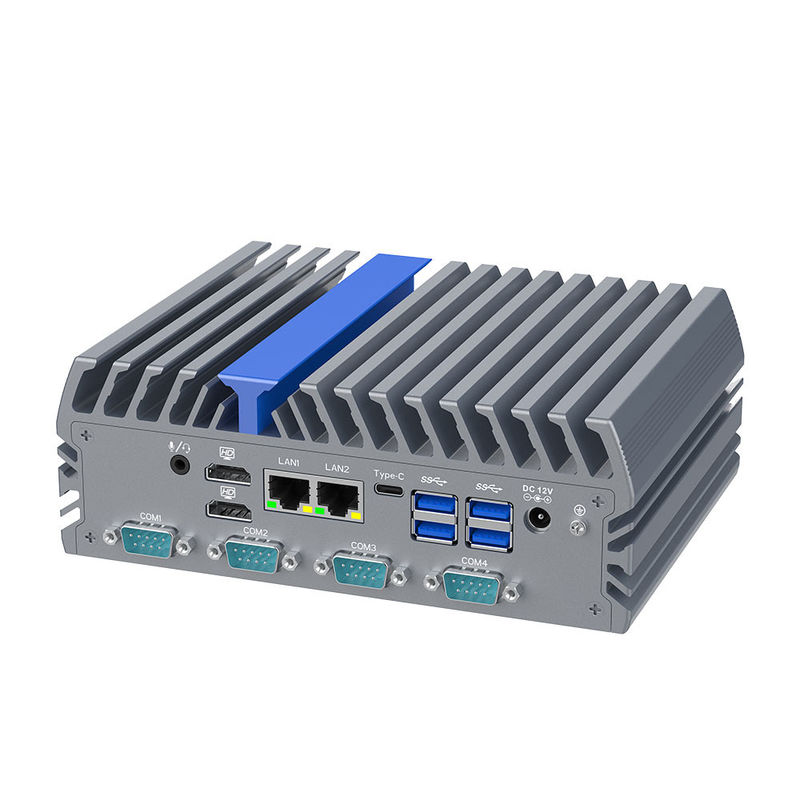
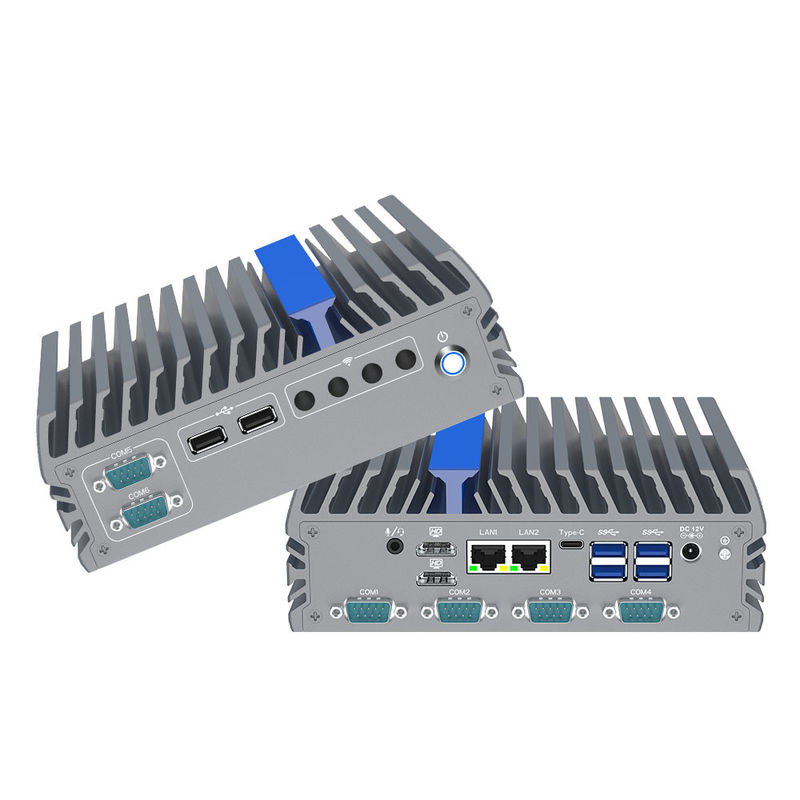
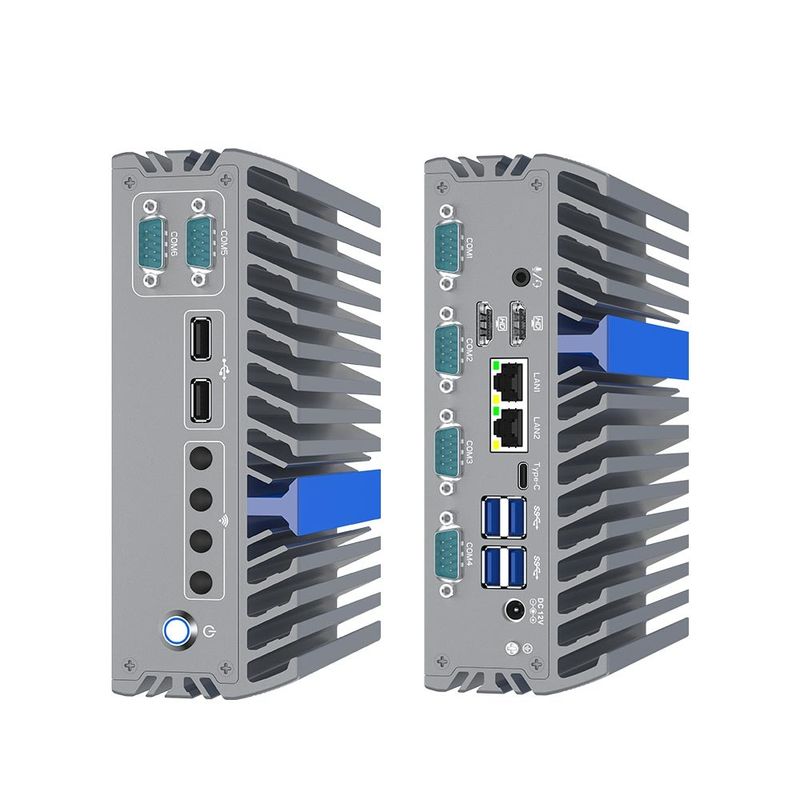
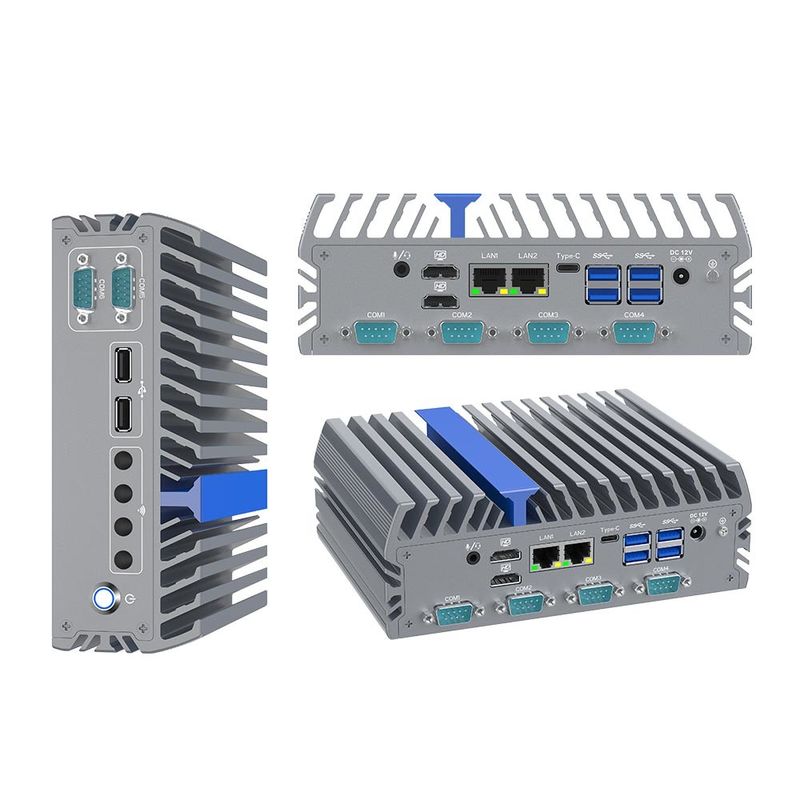
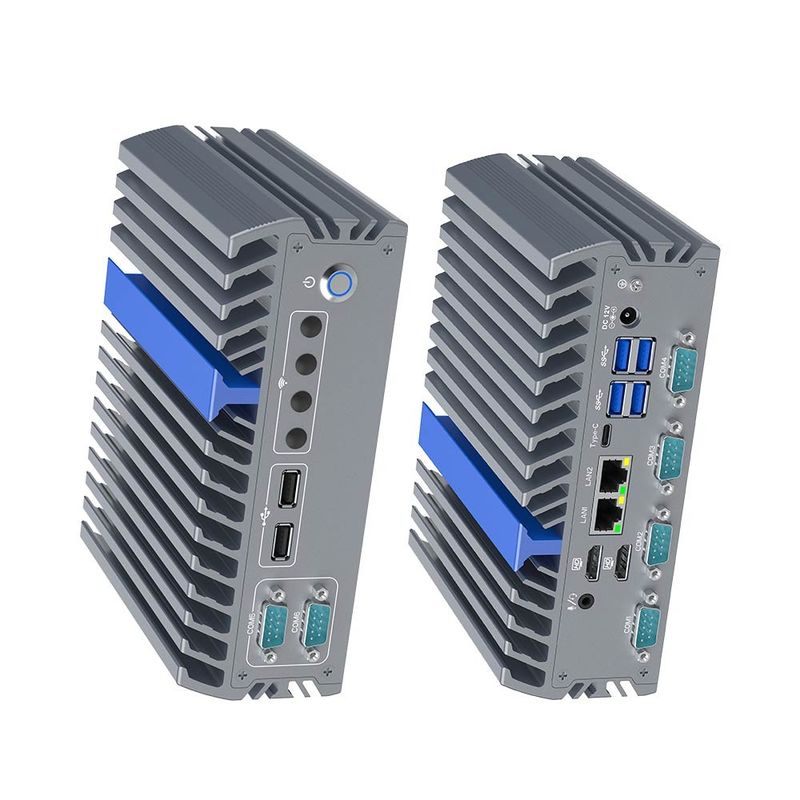
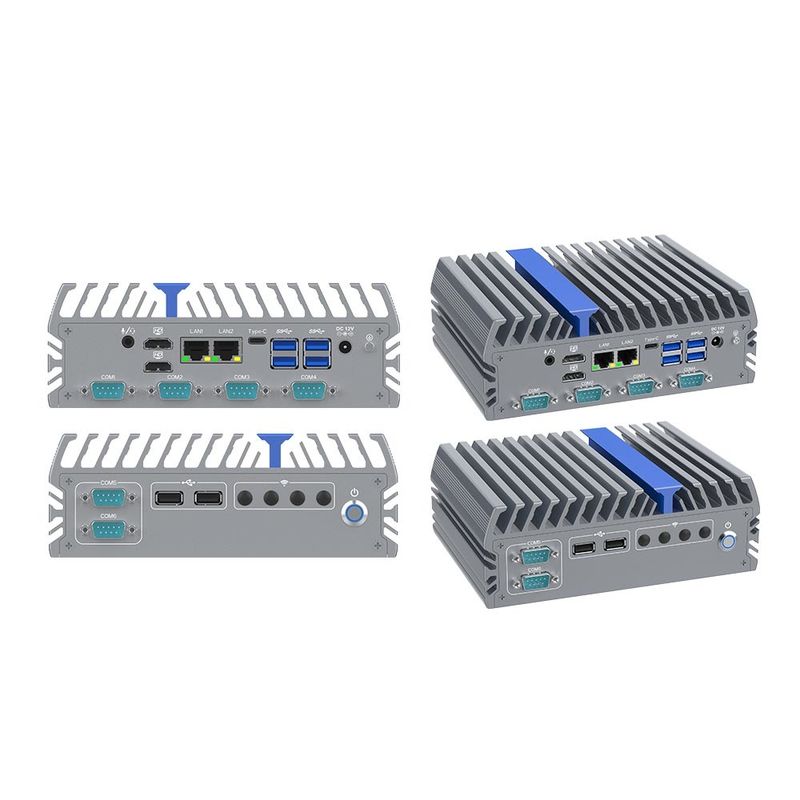
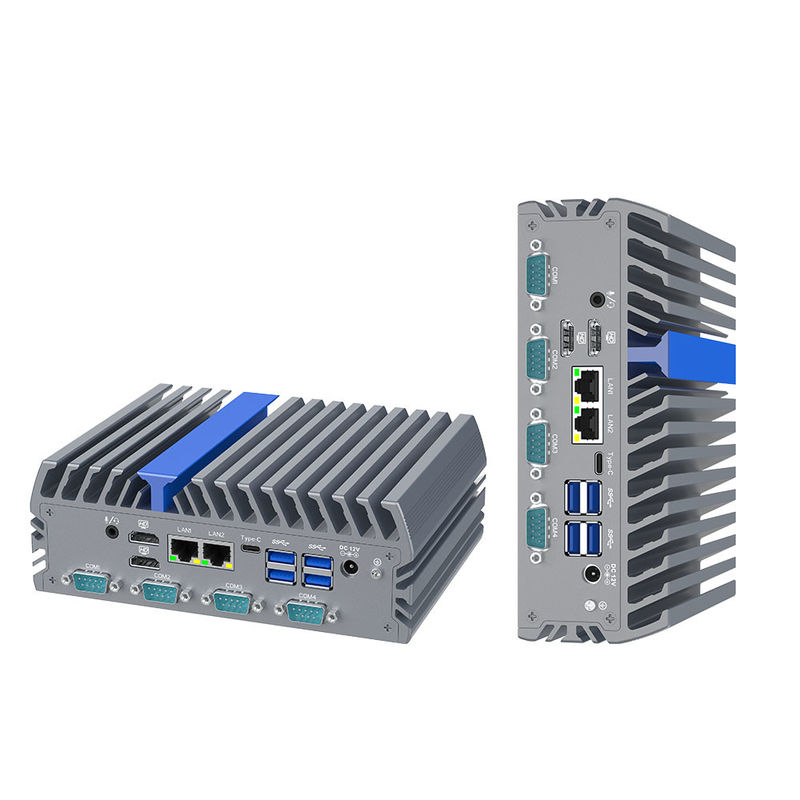
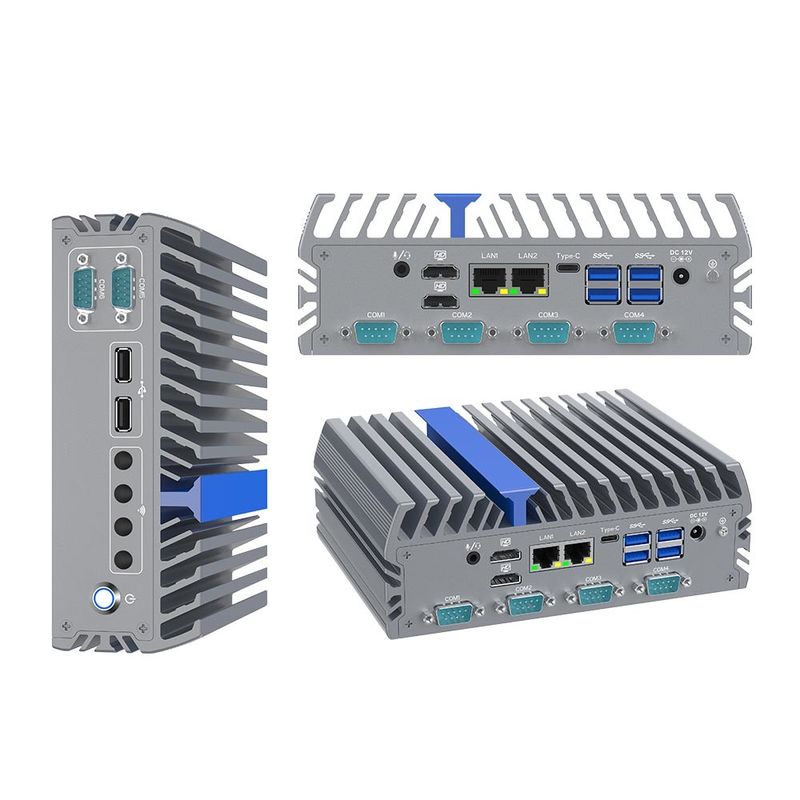
Triple Display Intel N100 Fanless Industrial Computer DescriptionThis Triple Display Intel N100 Fanless Industrial Computer is a next-generation industrial pc powered by the 12th Gen Intel Alder Lake-N N100 processor. Engineered for reliability in mission-critical environments, this compact workstation supports Triple 4K Display (Dual HDMI + Type-C) and features high-speed DDR5 4800MHz memory. With its rugged aluminum chassis and specialized I/O including 6 RS232 COM ports and Dual Intel 2.5G Ethernet, it is the ultimate solution for edge computing, machine vision, and industrial automation. | 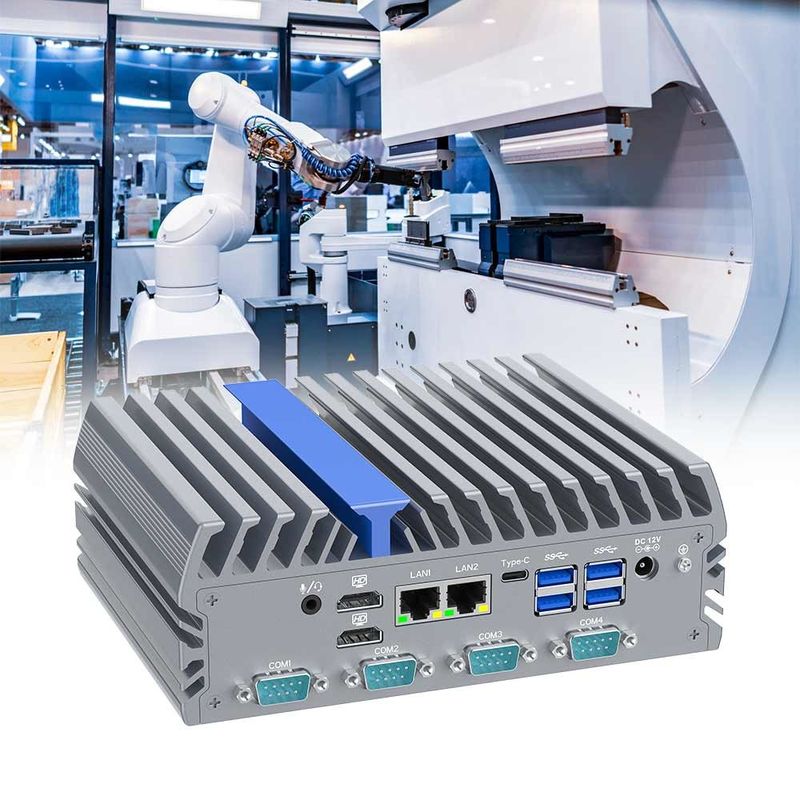 |
Category | Technical Specifications | Category | Technical Specifications |
Model Number | IEXP-322 | Display Output | 2x HDMI, 1x Type-C (Triple 4K) |
Processor | Intel N100 (Up to 3.4 GHz) | Network | 2x Intel I226-V 2.5G LAN |
Memory | 1x DDR5 4800MHz (Max 16GB) | Connectivity | 6x RS232 COM, 6x USB |
Storage 1 | 1x M.2 2280 M-Key (SATA) | Expansion 1 | 1x Mini-PCIe (4G/WiFi/BT) |
Storage 2 | 1x 2.5-inch SATA SSD Slot | Expansion 2 | 1x M.2 2230 E-Key (WiFi) |
Graphics | Intel UHD Graphics | Power Input | DC 12V (5.5 x 2.5mm) |
Thermal | Fanless Aluminum Chassis | Dimensions | 7.3 x 5.5 x 2.6 inches |
Operating Temp | -20°C to +60°C | OS Support | Windows 10/11, Linux |
Next-Gen Processing: The Intel N100 delivers significantly higher efficiency and lower power consumption (6W TDP) than older Celeron models.
Triple 4K Visualization: Unique support for three simultaneous monitors via Dual HDMI and Type-C—ideal for complex control rooms.
Ultra-Fast Networking: Equipped with Dual Intel I226-V 2.5G LAN, providing 2.5x the speed of standard Gigabit Ethernet for rapid data transfer.
Extreme Durability: The fanless, dust-proof design and wide operating temperature range ensure 24/7 stability in harsh industrial sites.
Massive Connectivity: Featuring 6 COM ports, it bridges modern AIoT software with legacy industrial equipment seamlessly.
 | Target Groups & Application ScenariosWe suggest the inventors buy this fanless industrial computer as following applications:
|
When purchasing the Triple Display Intel N100 Fanless Industrial Computer, consider the following to ensure project success:
Storage Configuration: For high-vibration environments, choose the M.2 SSD over the 2.5" SATA for better physical stability.
Network Speed: Ensure your switches support 2.5GbE to take full advantage of the dual Intel I226-V ports.
Installation Method: Confirm if you need the optional Din-rail mount for cabinet installation or the standard VESA/Wall mount.
Inspection Checklist: Always test the Auto Power On function and COM port communication protocol (RS232/485) before mass deployment.
A: Enter the BIOS by pressing DEL during startup. Navigate to "Advanced" -> "ACPI Settings" and set "Restore on AC Power Loss" to [Power On].
A: Ensure you are using a high-quality Type-C to HDMI/DP adapter that supports Alt-Mode. Check display settings in Windows/Linux to "Extend" the desktop.
A: Ensure you are using CAT6 or higher cables and that your router/switch supports 2.5Gbps speeds. Update to the latest Intel I226-V drivers.
A: Yes. The IEXP-322 has separate slots (Mini-PCIe for 4G and M.2 E-key for WiFi) to support dual wireless connectivity.
A: Check the Device Manager to confirm the port is recognized. Ensure the baud rate and parity settings match your industrial device.
A: Yes. As a fanless industrial computer, the aluminum chassis acts as the heat sink. Temperatures up to 60°C on the surface are normal and signify the heat is being moved away from the CPU.